Dead clicks
A dead click is a promise your page didn’t keep.
Someone clicked something because they expected it to work, and nothing happened. Unlike an error, no log ever records it. You only find out by measuring.
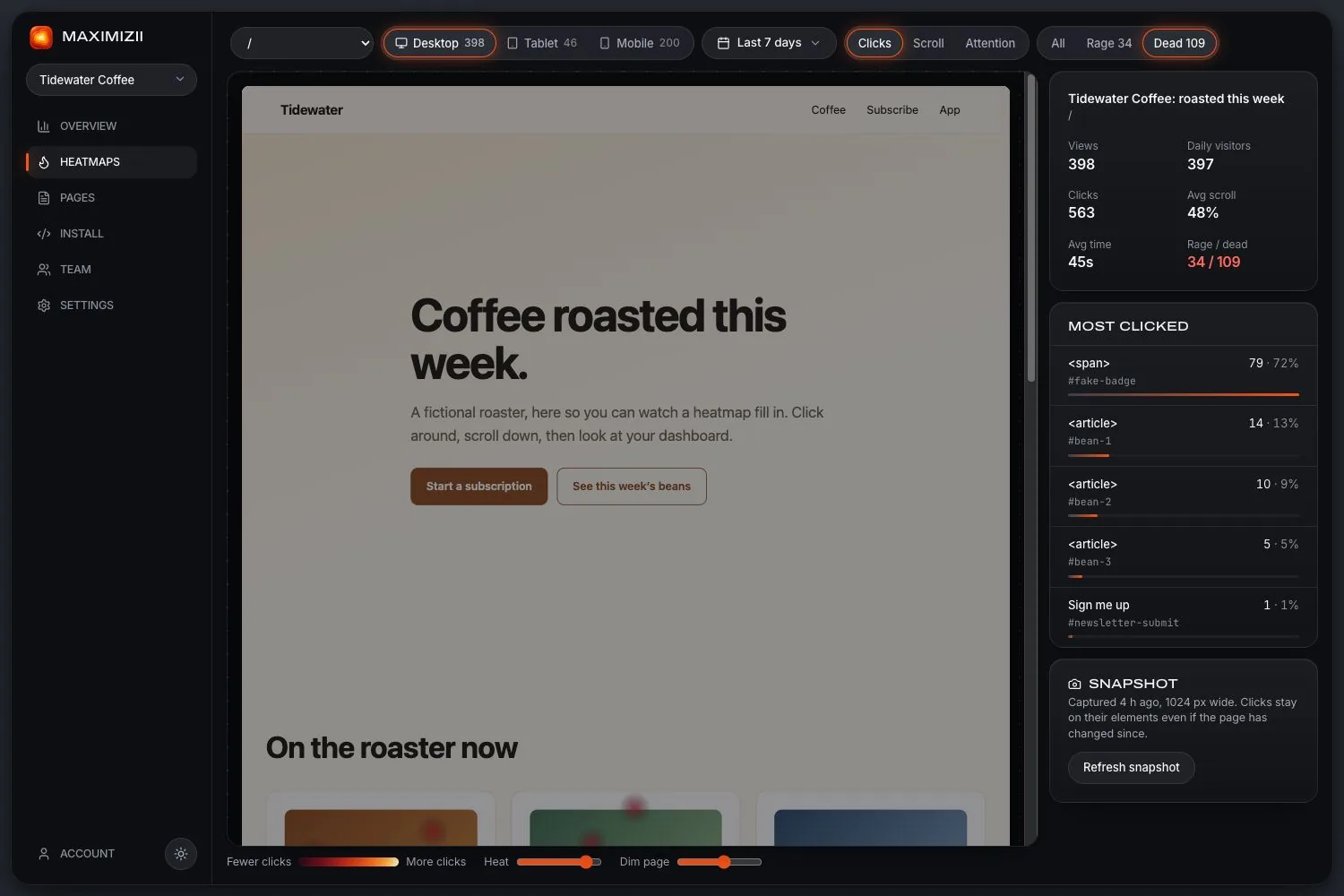
In short
A dead click is a click or tap with no response from the page. In Maximizii, that means half a second passed with no change to the page, no navigation, no scrolling and no text selected. On touch screens, it only counts if the thing tapped looks pressable.
What counts as dead
What they usually mean
It looks like a link
Underlined text, a card, a product image or a badge people assume will open something. The fix is often to make it work.
It’s broken
A handler that failed to attach, a script blocked by an ad blocker, or a link with no destination.
It works, but slowly
If nothing changes for half a second, it counts as dead. A loading state fixes both the number and the experience.
It worked, invisibly
A button that copies a link, or saves in the background, with nothing shown. People can’t tell, so add a small confirmation.
Questions
What is a dead click?
A click or tap where the page doesn’t respond. It often means something looks clickable and isn’t, or that something is broken or slow.
How do I find dead clicks?
Open a page’s click map and choose Dead. The map and the Most clicked list narrow to those clicks, ranked by element, so you can see the selector to go and fix.
Why doesn’t tapping empty space count?
On phones, people touch the page all the time just to scroll or stop a scroll. Counting those would bury real problems, so a tap only counts as dead if it’s on something that looks pressable.
Can a working button show dead clicks?
Yes, if it takes more than half a second to show anything, or never shows anything. That’s still worth fixing, since people can’t tell it worked.
Keep reading
- Rage clicksWhat rage clicks are, what causes them, and how to find them on your site.
- Click mapsSee what people click, ranked by element, with labels and selectors.
- Heatmap examplesFive real heatmaps from a sample shop, and what each one is saying.
- How to read a heatmapCheck the sample, read each map in turn, and turn what you see into a change.
- Mobile app heatmapsTap and scroll maps for the web screens in your app. What it covers, and what it can’t.
- Website heatmapsClick, scroll and attention maps over a picture of your real page, from one line of code.
Find out where they click.