Click tracking
Click tracking without tagging every button.
Event tracking only counts what you remembered to tag. Maximizii counts every click from the moment it’s installed, including on the things you’d never think to tag.
In short
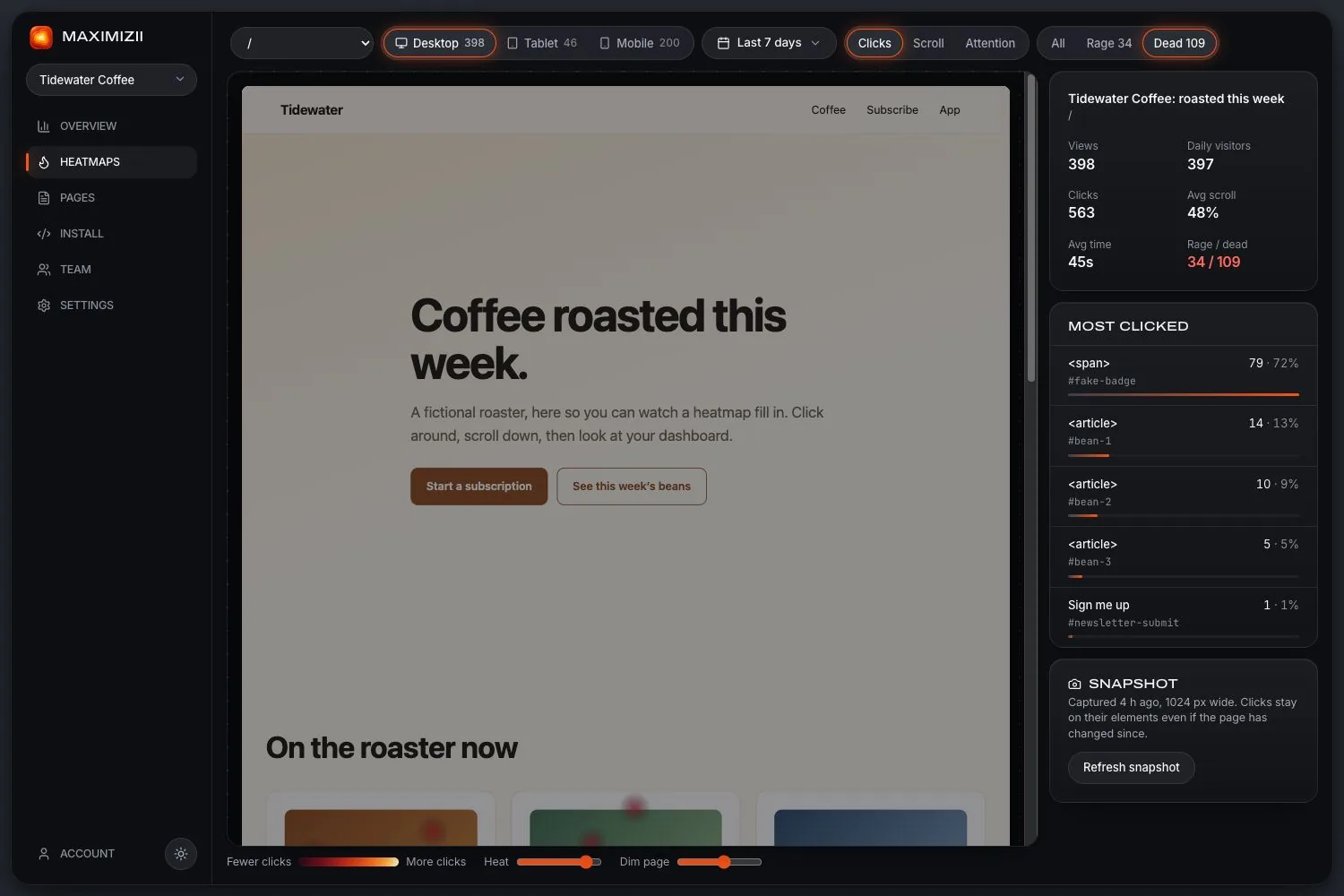
Maximizii tracks clicks on your site automatically: every element, with its label, its selector and its count, per page, device and date range. There’s nothing to tag and no cookies. It’s for seeing how people use your pages, not for measuring ad clicks or shortened links.
What you get for each click
Labels are cut short, and anything that looks like an email address or a long number is removed before it leaves the page. So is everything people type.
Tagging events, or tracking everything?
Tagged events are still the right choice for the numbers your business runs on, like purchases and sign-ups, because you decide exactly what they mean. Automatic click tracking answers a different question: what are people trying to do on this page, including things you didn’t expect? They work well side by side.
What this isn’t: Maximizii doesn’t measure clicks on ads, shortened links or affiliate links, and it won’t detect click fraud. It sees clicks on pages that carry its script.
Questions
How do I track clicks on my website?
Paste Maximizii’s one-line script into your pages. From then on, every click is counted by element, with no events to create. Open the click map to see them on the page, or the Most clicked list to see them ranked.
Do I need to tag buttons?
No. To leave something out, add data-mz-ignore to it.
Can it track clicks across a whole site?
It tracks them on every page that has the script. Clicks are reported per page, and the overview adds them up across the site.
Does click tracking need cookies?
Not here. Maximizii sets none. Visitors in the EEA, UK and Switzerland still wait for consent by default.
Keep reading
- Click mapsSee what people click, ranked by element, with labels and selectors.
- Google Analytics heatmapsGA4 doesn’t draw heatmaps. What it does record, and how to add one alongside it.
- Rage clicksWhat rage clicks are, what causes them, and how to find them on your site.
- Website heatmapsClick, scroll and attention maps over a picture of your real page, from one line of code.
- Cookieless heatmapsNo cookies, no stored IPs, no form values, and an honest word on consent.
- User behavior analyticsWhat it means for a website, the main kinds of tool, and which you need.
Find out where they click.